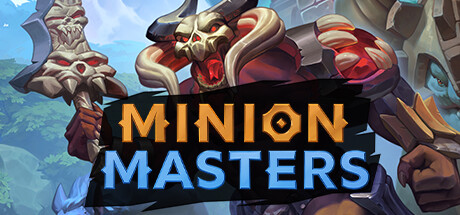
Minion Masters
💾 6 GB available space

An addictive fast-paced hybrid of Card games & Tower-Defense. Play 1v1 - or bring a friend for 2v2 - and engage in epic online multiplayer battles full of innovative strategy and awesome plays! Collect 200+ cards with unique mechanics, all free!
🚀 Recommended GPU: Nvidia Geforce GT 240 or equivalent, minimum 512 MB of VRAM
Target: 60 FPS
Official PC System Requirements
Minimum Requirements
1080p @ 30 FPS (Low Settings)
OSWindows 7, Windows 8, Windows 10
CPUIntel Core i3, 2.4 Ghz or equivalent
GPUNvidia Geforce GT 240 or equivalent, minimum 512 MB of VRAM
RAM4 GB RAM
Storage6 GB available space
DirectXVersion 10
Recommended Requirements
1080p @ 60 FPS (High Settings)
OSWindows 7, Windows 8, Windows 10
CPUIntel Core i3, 2.4 Ghz or equivalent
GPUNvidia Geforce GT 240 or equivalent, minimum 512 MB of VRAM
RAM4 GB RAM
Storage6 GB available space
DirectXVersion 10
4K Ultra / Enthusiast
1440p / 4K @ 60+ FPS (Ultra Settings) — editorial estimate, not an official figure
OSWindows 11 64-bit
CPUIntel Core i7-13700 / AMD Ryzen 7 7800X3D
GPUNVIDIA GeForce RTX 4070 / RTX 4080
RAM32 GB RAM
VRAM12 GB+ VRAM
Storage6 GB available space
DirectXVersion 12
⚡ Can My PC Run Minion Masters? Instant Hardware Checker
Enter your GPU and CPU model below to instantly check if your hardware meets the 60 FPS benchmark.
✅ Great news! Your hardware exceeds Recommended Requirements. You can play Minion Masters at 1080p/1440p High 60 FPS!
Best Graphic Settings & FPS Boost Tips
- Keep your GPU driver on the latest Game Ready / Adrenalin branch before comparing frame rates.
- If frame pacing stutters, lower Shadows, Volumetric Lighting and Ambient Occlusion one step each.
- Use Fullscreen mode instead of Borderless Windowed to cut input latency and gain a few FPS.