
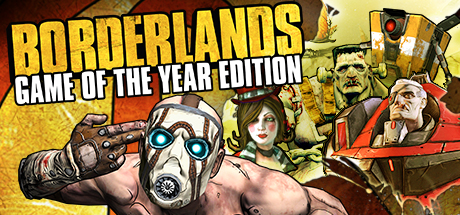
Borderlands Game of the Year
💾 8 GB or more free space Sound: Windows compatible sound card

Get ready for the mind blowing insanity! Play as one of four trigger-happy mercenaries and take out everything that stands in your way! With its addictive action, frantic first-person shooter combat, massive arsenal of weaponry, RPG elements and four-player co-op, Borderlands is a breakthrough experience that challenges all the...
🚀 Recommended GPU: 256mb video ram or better (GeForce 7 series or higher/Radeon HD3000 series or higher)
Target: 60 FPS
Official PC System Requirements
Minimum Requirements
1080p @ 30 FPS (Low Settings)
OSWindows XP/Vista
CPU2.4 Ghz or equivalent processor with SSE2 support
GPU256mb video ram or better (GeForce 7 series or higher/Radeon HD3000 series or higher)
RAM1GB System RAM (2GB recommended with Vista)
Storage8 GB or more free space Sound: Windows compatible sound card
Recommended Requirements
1080p @ 60 FPS (High Settings)
OSWindows XP/Vista
CPU2.4 Ghz or equivalent processor with SSE2 support
GPU256mb video ram or better (GeForce 7 series or higher/Radeon HD3000 series or higher)
RAM1GB System RAM (2GB recommended with Vista)
Storage8 GB or more free space Sound: Windows compatible sound card
4K Ultra / Enthusiast
1440p / 4K @ 60+ FPS (Ultra Settings) — editorial estimate, not an official figure
OSWindows 11 64-bit
CPUIntel Core i7-13700 / AMD Ryzen 7 7800X3D
GPUNVIDIA GeForce RTX 4070 / RTX 4080
RAM32 GB RAM
VRAM12 GB+ VRAM
Storage8 GB or more free space Sound: Windows compatible sound card
DirectXVersion 12
⚡ Can My PC Run Borderlands Game of the Year? Instant Hardware Checker
Enter your GPU and CPU model below to instantly check if your hardware meets the 60 FPS benchmark.
✅ Great news! Your hardware exceeds Recommended Requirements. You can play Borderlands Game of the Year at 1080p/1440p High 60 FPS!
Best Graphic Settings & FPS Boost Tips
- Keep your GPU driver on the latest Game Ready / Adrenalin branch before comparing frame rates.
- If frame pacing stutters, lower Shadows, Volumetric Lighting and Ambient Occlusion one step each.
- Use Fullscreen mode instead of Borderless Windowed to cut input latency and gain a few FPS.


